Toilet ultra boss rush Redeem Codes Step by Step
From Roblox join to reward toast—plus what to do when a code fails.
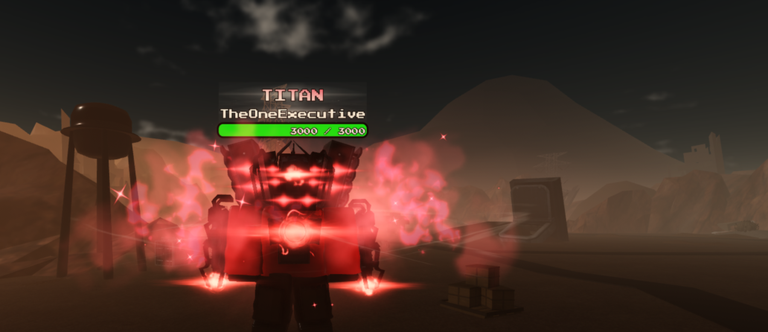
Redeeming a code in Toilet ultra boss rush should take under a minute once you know where the UI lives. This guide walks through the full flow for the wave-defense cash economy, explains common failure messages, and shows how to turn a successful redeem into better wave clear—not impulse buys. Pair it with the Codes Hub for source tracking and Discord context.
The game (place 90198315559220, TheOneExecutive Studios, released 2026-04-09) runs small lobbies (maxPlayers 7). That means you may wait for a slot, but redemption itself is usually available once you load into a session with a working menu. Always start from the official Roblox experience so you are not in a copycat place.
Before you redeem
- Confirm the source — Prefer Discord sneaks/giveaways, update posts, or staff announcements over anonymous image macros. The Codes Hub explains why invented lists are useless.
- Copy the string carefully — Codes are often case-sensitive. Copy from Discord, not from a screenshot OCR.
- Have the game updated — Restart Roblox if you have been offline during a patch so the redeem endpoint and UI match the live build.
- Know your goal — Decide whether free cash goes to early defenses or mid-wave upgrades. Glance at Beginner Picks first if you are new.
Step-by-step redemption
1. Launch the correct experience
Open Roblox, search for Toilet ultra boss rush, or use the official game URL. Confirm the title includes the [Rework!] branding when that is the live listing, and that the creator is TheOneExecutive Studios. Fan-made places with similar names will not honor the same codes.
2. Join a server
Enter a lobby. With a seven-player cap, popular times fill quickly; retry or hop if you land in a broken session. You need a fully loaded client with the HUD visible—not a stuck teleport screen.
3. Open the Codes / Redeem UI
Look for a Codes, Redeem, Gifts, or shop-adjacent button. Roblox wave games often hide this under:
- A shop or store tab
- Settings / extras gear icon
- A gift box or ticket icon on the HUD
If you cannot find it, check Discord for a current screenshot of the menu after the latest rework, or watch a recent codes exchange video for button placement (layout can move after big updates).
4. Paste and submit
- Tap or click the text field.
- Paste the code once.
- Remove leading/trailing spaces if paste added them.
- Submit / Redeem / Claim.
- Wait for a success toast, cash popup, or inventory update.
Do not mash submit. Double submits rarely help and can confuse you about whether the code already consumed.
5. Verify the reward landed
Check cash, inventory, or mail-style claim UI depending on what the reward is. If cash increased, decide spend order before the next wave starts. If you are mid-combat, stash the plan and execute between waves so you do not open menus during a boss pressure window.
Troubleshooting failed codes
| Symptom | Likely cause | What to try |
|---|---|---|
| Invalid / wrong code | Typo, OCR error, or fake list | Recopy from Discord; check case |
| Already redeemed | One-time per account | Stop retrying; mark it used |
| Expired | Timed giveaway ended | Drop it; watch for the next sneak |
| No Codes button | UI moved or wrong place | Confirm official game; rejoin; check update notes |
| Nothing happens | Client desync | Rejoin server; restart Roblox |
| Offline / error toast | Network or platform blip | Retry once on stable Wi-Fi |
Never enter your password into a “code verifier” website. Roblox codes redeem inside the experience or official Roblox flows—not on random claim pages.
Codes vs admin abuse rewards
Players sometimes confuse the two:
- Promo codes — You type a string in the Codes UI.
- Admin abuse / live giveaways — Staff grant cash or spawn events in a public server. There may be nothing to type.
If Discord says “admin abuse now,” join the advertised servers and play; do not hunt for a non-existent code string. If Discord posts a typed code, use this redeem flow. Both feed the same cash economy that powers wave defense.
After you redeem: spend with intent
Free cash feels unlimited until a late wave deletes your base. A simple spend order for most players:
- Cover obvious base weak points so a single leak does not end the run.
- Buy or upgrade a unit that clears the current wave type efficiently.
- Save a buffer for the next spike instead of zeroing your wallet every shop open.
- Shift into scaling picks as waves deepen—see Late-Game Meta.
New players should also skim the Guides Hub for wave pacing and cash habits so codes amplify good play instead of funding mistakes.
Mobile vs desktop tips
- Disable autocorrect when pasting codes on phones.
- Landscape mode can make shop tabs easier to find after a rework.
- If paste fails, type manually and double-check every character.
- Keep Discord open on a second device so you can copy without leaving Roblox (or use split screen if your device allows).
Related links
- Codes Hub — sources, Discord, listing policy
- Tier List Hub — investment priorities
- Scripts Hub — why you do not need executors to redeem
- Links Hub — official game and community entry points
- Updates Hub — patch notes that may add or move the Codes UI
Bookmark this page for the first redeem after each major update. UI labels move; the checklist—official place, find Codes UI, clean paste, verify reward, spend with a plan—stays the same.
Frequently Asked Questions
Quick answers for Toilet ultra boss rush players.
Where is the Codes button in Toilet Ultra Boss Rush?
It is usually under a shop, gifts, or settings-style menu. Reworks can move it. Join the official experience and check Discord screenshots after major updates if your HUD looks different.
Why does my code say invalid?
Common causes are typos, extra spaces, wrong case, expired giveaways, or lists that never worked. Recopy from Discord and confirm you are in the official Toilet ultra boss rush place.
Can I redeem the same code twice?
Most Roblox promo codes are one redeem per account. If you already claimed it, further attempts will fail even if friends can still use it.
Do I need a script to redeem codes?
No. Codes redeem through the in-game UI. Script tools are unrelated to legitimate code claims and create account risk—see the Scripts Hub.
What if Discord posts a giveaway but no code string?
It may be an admin abuse or join-to-claim event. Enter the live servers mentioned by staff and play during the window instead of searching for a typed code.
Should I redeem before or during a wave?
Redeem whenever the menu is safe to open, then spend between waves when possible so you are not stuck in UI during boss pressure.